Tuesday, 6 December 2016

Process Evaluation Of Ultra Short Film

Software Application

Software applications is when we used  an editing software to make and continue our projects. This is a source that is digital and is available on laptops and computers, and has easy access to through these devices. The software's help put together videos to make films.

The digital software that we used to make our films in the post production process is called Final Cut X, which was available to access on the macs provided, we used this for the editing and uploading of our short films. This software is only available on apple products and is a very advanced program for editing films.

This had a big impact on our work since it allowed me to know how to use advanced editing software's, and the software that I used allowed me to add a lot of elements to my film, such as fades, filters, sound effects, etc. This made finishing the film very simple, which was very useful for my work.

High Definition/standard definition

High definition and standard definition is the type of equipment that I used to make my film, such as what I used to film the shots, and edit the shots for the film. The type of equipment is important since certain equipment can make a difference to the films quality

The type of equipment that I used for  the editing of my film was a mac that was provided by the school, and I also used a camera, and a tripod to film shots for my film, this was also provided by the school.

This made a big impact on my work since the hardware produced helped me film and edit in high definition, and it allowed me to make my film look like it was made with high quality equipment, which made it look more professionally made.

Tapes

Tapes is what we used to store all the footage that we filmed for our short films. There are many things that we could store our footage in, such as USB's, CD's, video tapes and SD cards. With these, we can easily track all of the footage that will be used and discarded, and we can easily access this footage so we can transfer it to the computers to edit them together.

For the making of my film I used SD cards to store all of my used and unused footage that I filmed, I stored them inside the cameras while I was filming my short film, and them placed them inside the mac while I was importing them for the editing.

This made a big impact on the making of my film, since it was very easy to be able to store all of the shots that were made for the film, and it was able to access the shots easily for my film.

Hard Disc

Hard disc is when the footage is actually being imported to the macs and when they are actually stored and placed in the macs, so that we can continue editing our films, and we will know where they are kept.

An example of where I used this would be saving my film in the local hard drive on the macs given. We uploaded all of our shots, good shots and bad shots, into the mac through the SD cards that contained all the footage. By doing this the film was easily accessible for whenever I wanted to continue editing.

This had a big effect on on my work, since by saving all of the footage of the film into the local hard drive, I was able to access the film whenever I wanted to continue editing, which made the editing process much faster than it would have been if I did not have easy access to the film.

Data Transfer Rates

Data transfer rates is how fast all of the data transfers to the computer, in this case how quickly all of the recorded footage went into the hard drive on the mac.

For the making of my short film the time that it took for the SD card to transfer all of the footage filmed, due to us filming 114 shots, it took a minute and a half to transfer all of the clips onto the mac for the editing.

This had a big impact on my work since I was able to upload all of the footage onto the mac, so I can edit them for my film, before when we had different macs it took a lot of time to transfer each clip into the mac, but not it transfers all of them quickly, which saves time, and it is very useful since it would not be possible to edit my film if I don't have the shots.

Exporting Productions

Exporting products is the last step of the editing process, where I completed the editing of my short film on final cut, after adding all of the final tweaks to the  film, so then I  render the film and place it into a file.

An example of where I done this would be when I used quick time to render all of the parts of my short film, and transferred it 80MB per second, and made it able to upload. This made the film render for 5 minutes and then I could finally upload the file onto YouTube, which took nearly 6 minutes to upload.

This is effective on my work since it creates the film into a folder, such as a flv, avi or MP4, and by doing this it was able to actually upload the finished film onto YouTube

File Types, eg Mov, Avi, Flv

File types is the final version of the film that is rendered into a final file where you know it is saved. It can be rendered into many different files, such as Mov, Avi and Fly. By having it in different file types, the film is accessible on different platforms.

An example of when I used this in my work would be when I exported my finished film and made it into a file so I made it available to upload the final film onto YouTube.

This made an impact on my work since it allowed me to upload my film onto the internet, so that people around the world can access it without needing to download a file to view it.

Compression

Compression is the process of making the file into a smaller file, so transferring the file and uploading the file would be more easy  to accomplish. The file had the quality of 1080p and included the music and edits, and anything that was added to the video was transferred quickly.

An example of when I have done this would be when I was exporting the short film, making it just the right quality that I intended it to have, after all of that was done, I then uploaded the final film onto YouTube.

This made an impact on my work since I was able to actually make my film be in the exact quality that I intended it to have, nothing was taken away, which was very fortunate, since I wanted the quality to be just right for it to be uploaded onto YouTube for others to see.

Monday, 5 December 2016

Technical Evaluation of Ultra Short Film

Montage

A Montage is when an editor mixes together multiple different videos to create a collage of videos that are going on one after another at a fast pace, this is typically done in music videos. An example of where I have used this technique would be at 2:22 where there are multiple clips of  different times of the video from when the boss was alive, leading up to his death. How the use of a montage leaves an impact on the viewer, is by showing that a lot is going on. In this case I have used the montage to leave an impact by showing a collage of clips, which seems to be a tribute for the boss that died, this would leave the audience feeling sympathy, seeing all the things that the boss went through, leading to his sad death.


Fade

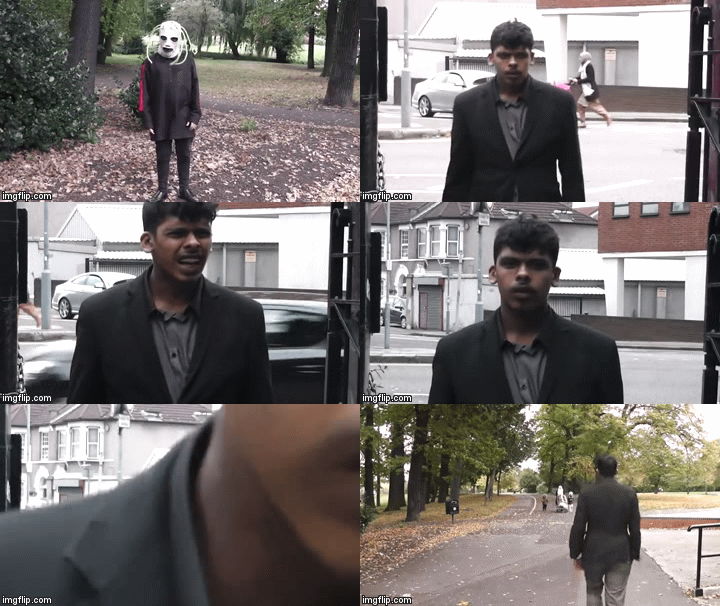
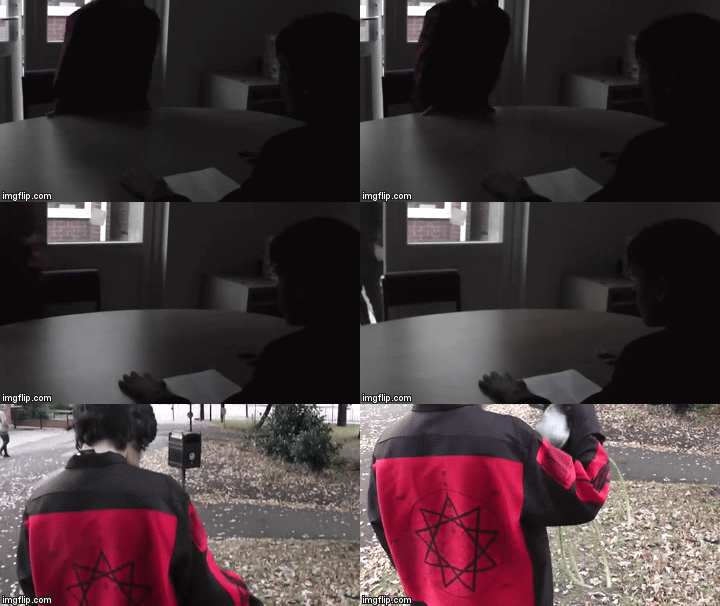
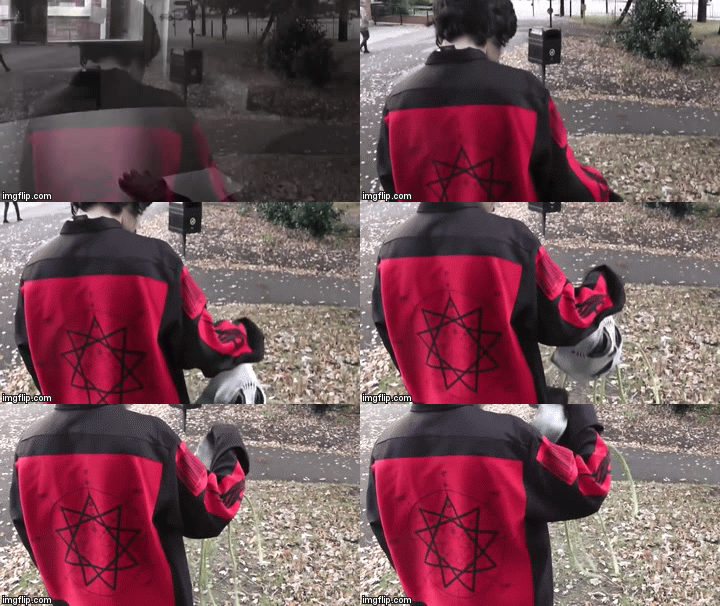
A fade is when an editor adds a dissolve between shots to make it seem like the film focuses on a new area where the story continues. This technique is usually used when the film begins and ends, this will make the film more interesting to watch. An example of where I have used this technique would be at 0:38 where the location changes from inside a meeting room, to the park where the job applicant puts on the mask and then sways his body side to side creepily, this adds a creepy vibe to the scene, whilst it fits in with the music that is playing. This is to get the audience to wait in suspense and a bit frightened while watching of what is to come.  If the fade was not included in the film, it would have just cut to the next shot without including the creepy vibe that is needed to create the scene.


Cutaways

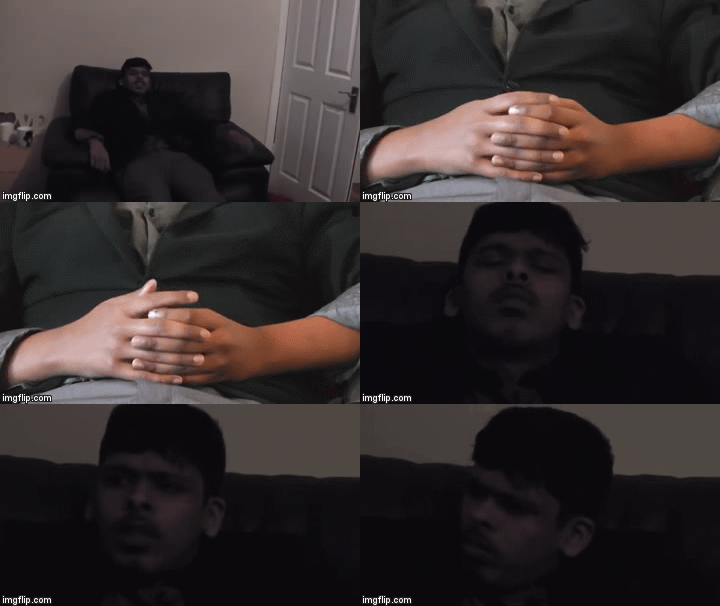
A cutaway is a shot that the editor includes that sometimes may and may not relate to the story, sometimes cutaways do not really add anything to the story, but sometimes it will give information about what is going on. There are many ways cutaways are used in films, such as when two people are talking, there could be a quick shot of someone in the conversation rolling their eyes, it does not add anything to the story, but it tells the audience that the characters might not believe that the other character is telling the truth or not interested in what the other character is saying. An example of where I used this technique would be at 1:12. Here I showed a shot of the boss twiddling his thumbs in thought and passing time. The twiddling his thumb shot doesn't add to the story line but the impact that this has on the audience is to give them a little information of the boss finally getting a chance to sit down, rest and is relaxed.


Effective Pacing

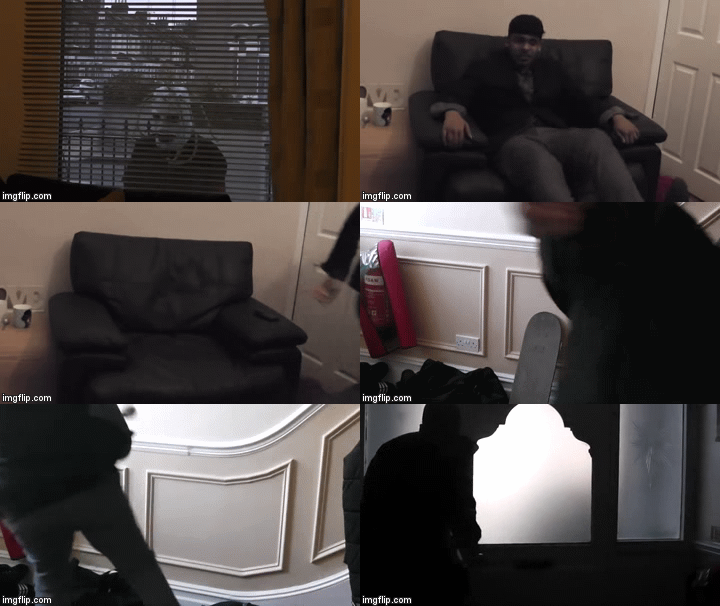
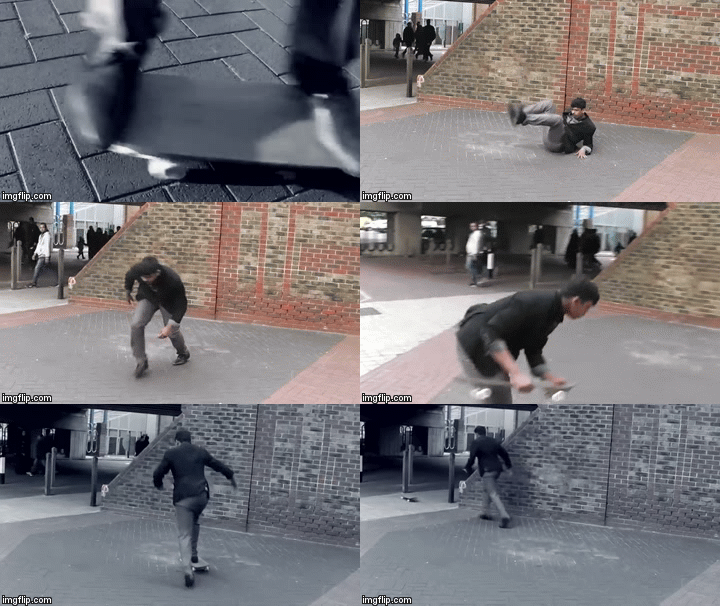
Effective pacing is when the editor makes the tempo a certain way to leave an impact on the audience. The way the pacing is done, can make the audience feel a certain way. An example of where it can be found are in some Asian dramas. When something serious happens, they show the reactions of every single person in that room being shocked, while in slow motion, this leaves an impact on the audience, getting them to also think along with the shocked characters "did this really just happen?" adding more tension and making the audience wait to see how the situation will continue. An example of where I have used this technique would be at 1:56 where the boss is trying to get away, here the pace of the editing is very quick, but shortly after there is a longer shot of the boss tripping and then getting back on the skateboard to skate away. The way this technique leaves an impact on the viewer is by having fast paced editing during the scene shows the audience that a lot is going on in the scene. This shows the boss is really rushing to get away, and by having a longer slower shot after it, when he makes a mistake and falls adds drama to his clumsiness and silliness in trying to get away again still using the skateboard.


Convey Information Effectively 

Convey information effectively is when an editor structures the shots in a certain way to tell the audience what is happening in the scene clearly. An example of where this is used in films would be when one character has a flashback, which tells the audience what has happened to that character. An example of where I have used this technique would be at 0:44 where the applicant is waving is body creepily, and then it turns out that the boss is in the same area. When the boss looks to the side, it turned out that the masked applicant is not there, so the boss thinks his mind is playing tricks and actually saw nothing so he walked off.


Use Sound To Create Impact

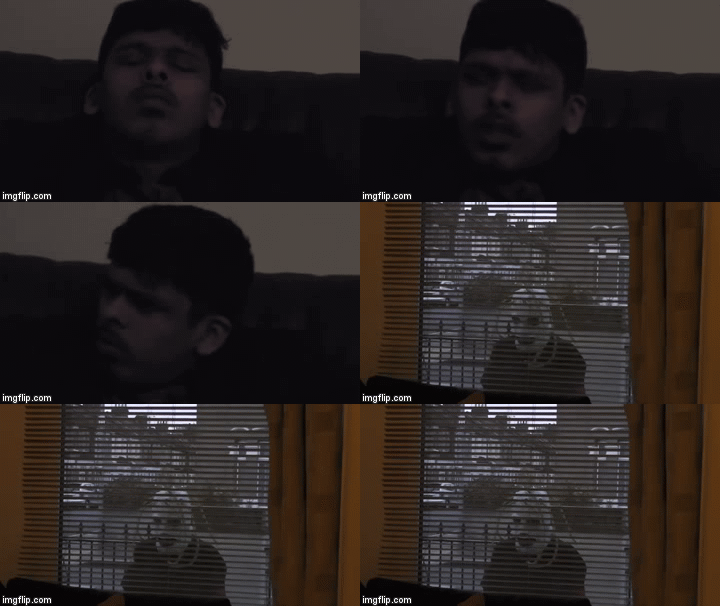
Using sound to create impact is when an editor uses certain sounds at a certain moment in the film to really get out an emotion from the audience. This can be used in many ways, such as when editors add sad piano/violin music during a death scene, or adding tense and thrilling music during a chase scene, using sounds like this can really make the audience feel the way that the editor wants them to feel. An example of where I used this would be at 1:12 where I made the calm, relax music stop for dramatic effect, showing the applicant in a creepy mask, which gets the thought in the audience's head "where did he come from" which makes the film tense to watch, since with the silence it makes the audience wonder what will happen next.


Synchronise Sound And Vision

Synchronise sound and vision is when an editor makes the sound match what is going on in the film with music and sound effects, such as if it is a horror scene, where a killer is creeping up on someone, they will use eerie, disturbing music, or when someone suddenly opens a door, they add a creaking sound effect, to really add that creepy vibe to the scene. An example of where I used this technique would be at 1:17 where the suspenseful music plays when the boss is trying to get away, the music hits at the exact same time when the boss's feet just hit the floor as he gets away. The way this this leaves an impact on the audience is that when the music hits just when the boss hits his feet on the floor shows that something serious is happening, and tells the audience that the boss just started to quickly get away from the applicant with the mask.


Mix Soundtracks

Mixing soundtracks is when an editor uses more than one type of music in their film. This is done in a lot of films where they switch from one piece of music to another to fit the change of shots. In horror films they quickly change to very tense music when a killer is approaching or there is a death scene, to add the suspense that fits with the scene. An example of where I used this technique would be at 0:32 where while the meeting is still going on, the music stops for a brief second and then switches to the creepy music where the student puts on the mask. This leaves an impact on the audience since the sudden change of calm, joyful music to creepy and eerie music signals that something seems a bit off, which is exactly what happens, since the audience sees that the applicant has a satanic symbol on the back and then puts on the mask, and this surprises them, the change of music really adds to the shock factor that the scene has.


Overlap Sounds

Overlapping sounds is when an editor uses different pieces of audio, and plays them at the same time to create an effect that gives a certain feeling for the audience while watching the film. An example of where this is used in films would be when someone has a sudden flashback, or where there is a scene where a character has many voices in their head, and they are all playing at the same time. An example of where I have done this would be at 0:39 where the sound of the boss saying "clearly not fit for the job" is happening at the same time as the creepy music. I played the sound of the boss saying the line "clearly not fit for the job" three times, each one gets quieter so it sounds like an echo, and this plays over the creepy music that has just started playing. By doing this having the creepy music start tells the audience that something is wrong, and at the same time, playing the boss's voice is strange, since he is not in the shot, but playing it like it is an echo tells the audience that it is in the applicants head, and playing that at the same time as the creepy music, makes the audience think he is going to do something to the boss.


Offline Edit/Online Edit

Offline editing is when an editor uses a shooting script to check all of the shots that they filmed, and see what shots they use, and what shots they discard. Online editing is when an editor uses a computer software to edit their films. All film makers do this technique for the making of their film. I used offline editing when I made a shooting script that had all of the shots that I would use in the film, and all of the shots that I will discard. I used online editing when I was actually editing the film on a mac. Doing this was very useful, because the offline editing helped me see what shots were going to be used in the film, and it made editing much easier, and the online editing allowed me to actually edit my film.

On Screen Text

On screen text is when an editor literally just adds a bit of text on the screen, this is always done in films, where they sometimes show the title of the film at the beginning and when they always show the credits at the end, this is also done when time passes by and they show some text that says how time went by, for example saying"3 hours later". An example of where I used this would be at 2:30 at the end, where it shows that I made the film. I made some credits at the end of the film, showing a fade in of text that says "By Usama Mohammad", by doing this it informs the audience on who was the person that actually made the film, so they can know their name and see if they have any other films to watch.


Image Editing

Image editing is when an editor changes the visuals of the film, by adding effects and filters to improve the looks of the film. An example of where this is used would be when film makers add transitions in their films, and change the appearance of the film to how it originally looked. An example of where I used this technique would be at 1:25 where there is a filter on the screen while the boss is getting away in slow motion. The way I used image editing, is that I added a tense filter to the shot, which made the scene seem more tense, and made it also fit in with the music. The impact this has on the audience shows that the scene is very tense, and the boss is rushing to get away, with all the serious colours.


Audio Editing

Audio editing is when an editor rearranges the audio and adds effects such as making the audio fade in and fade out, the editor sometimes also makes the audio louder or quieter than it was before, so it can improve the film. An example of where this is used in films is when there is a tense scene, and the music in the background goes quieter, so that the audience can focus more on what is going on, such as actions that are taking place, or dialogue that is playing. An example of where I used this technique would be at 1:45 where I stopped the tense music, just at the exact moment when the boss falls off the skateboard. The effect that this has on the audience is that it adds more humour, in a slapstick way to the scene, making the audience be able to know that it was a clumsy mistake that he made in a serious moment, and by having the audience be able to hear the "wait, wait, okay", adds even more humour to the scene.